Learn how to link card-boxes correctly without sacrificing anchor text to improve user experience and SEO.

We quote literally:
“Good link text is descriptive, concise, and relevant to both the page it is on and the page it links to. It provides context to the link and sets readers’ expectations. The better the link text, the easier it is for users to navigate your site and the easier it is for Google to understand what the linked page is about.” Google Documentation - 2025-02-17
At first glance, this is easy to understand and even to apply. We must have a link, not over-optimized, that tells the user where they will land, and that is the text that should go inside the tag.
<a href="example-link">{This would be the anchor text}</a>
But there is a world of difference between theory and practice, and things can easily get complicated.
What happens when we want to link a box with an image?
Where should the link go?
We want the user, for a good experience, to be able to click anywhere on the box and have that action take them to the destination. But in this case, we would be putting all the content—images, title, description, and all the elements—inside our anchor text.
Another option you might consider is placing the link only on the title, but if you do just that, the rest of the box is not clickable. So it would be good practice for Google but not for the user.
With Ahrefs, we can easily investigate what the anchor text is for the links on our PLPs (product listing pages), or blog listing pages or services pages.
It can be done on any page we have that contains boxes. This way, we can detect whether they have correct linking.
To detect it, we first need to go to Dashboard > Enter the target URL > Internal anchor texts > Filter by the PLP and view the list of links.
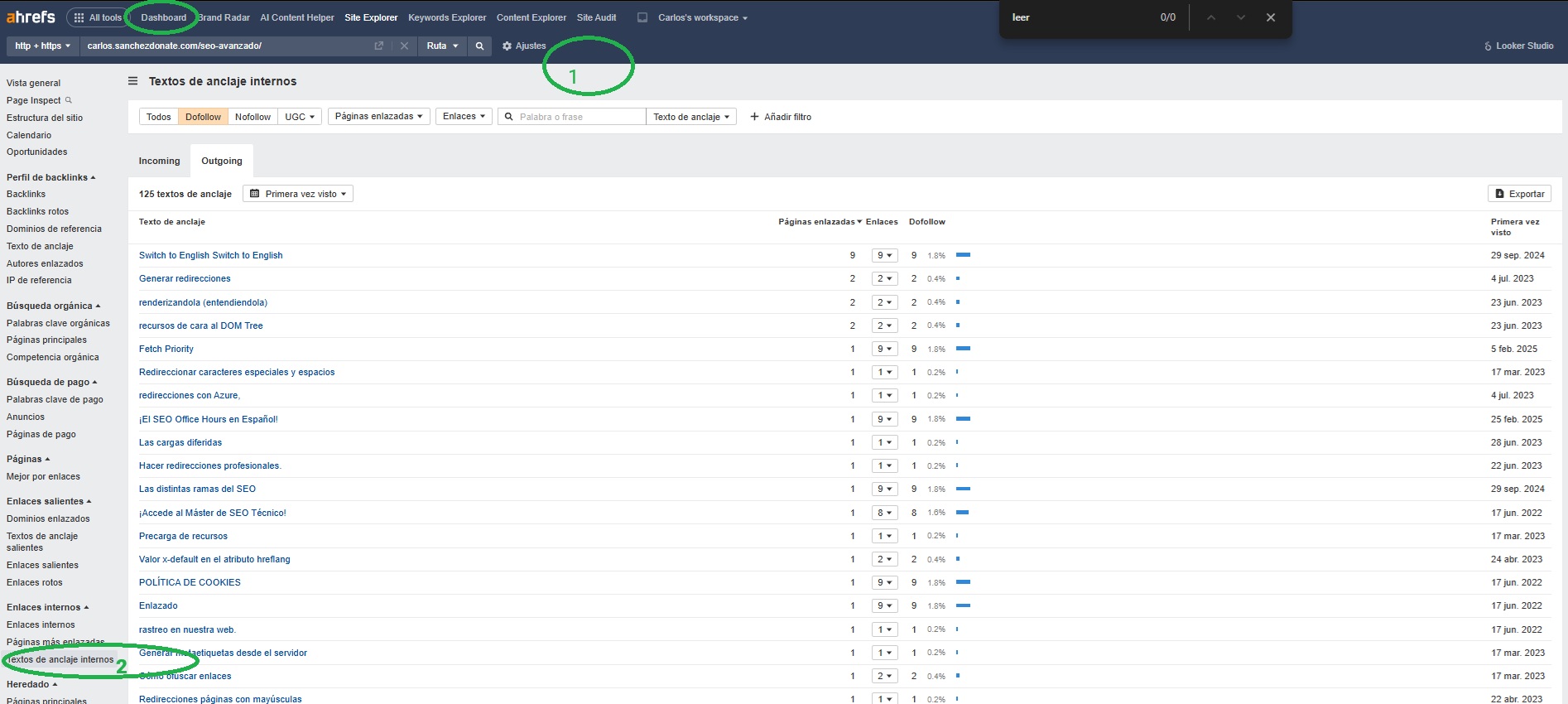
Once this is done, we can detect possible areas for improvement such as:
Empty anchor texts:

And what concerns us: product or post cards where we can see that the anchor text includes everything, including the “see more”:
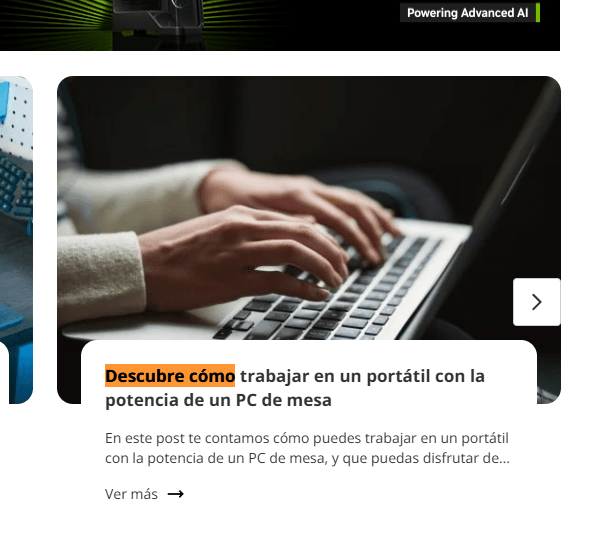
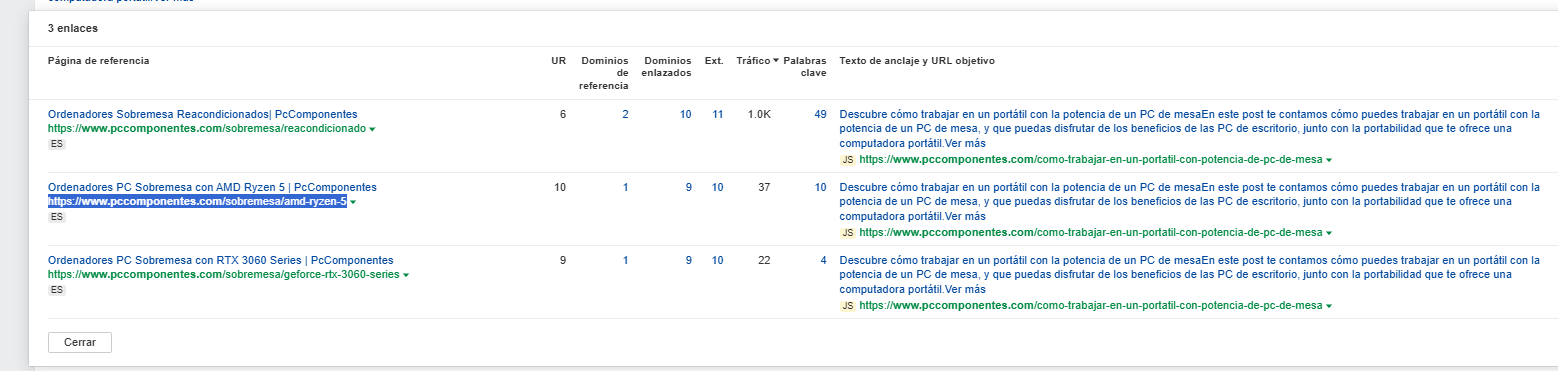
And we can continue seeing examples of infinite anchor texts where all the text has been included.
We can also check it with Screaming Frog to crawl the page in real time and compare more information thanks to the Ahrefs API:
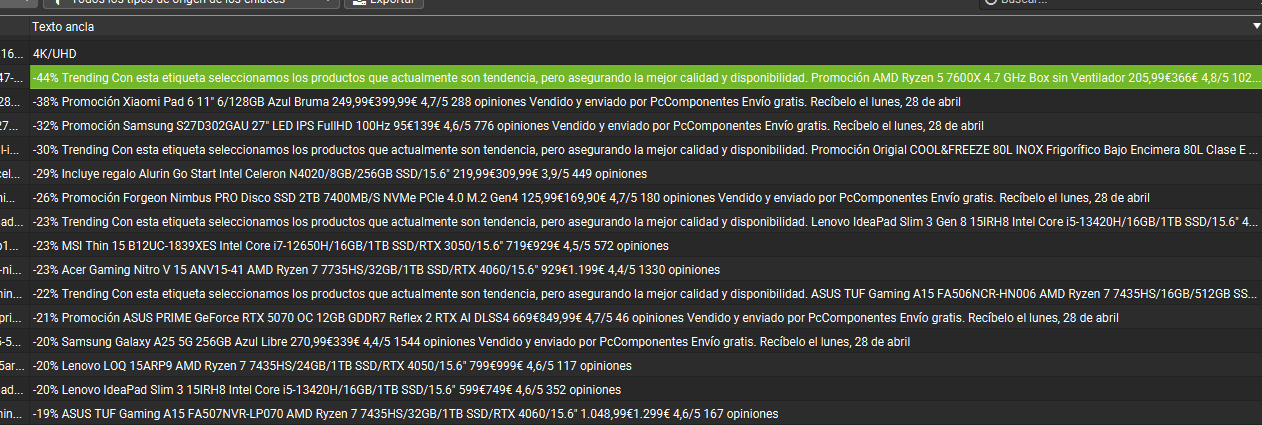
The solutions we could apply to this problem are endless; however, they usually come with several downsides.
Double-linking (the box and the title) is a very redundant option.
Making the box clickable via JS is also not the best choice, nor something sustainable as a usual implementation approach.
So I’m going to explain what the best solution is for both Google and users, using only CSS.
And yes, we don’t need JS or any strange HTML configuration — with just CSS we can clearly address the problem.
Let’s look at it step by step:
We must avoid anchor text such as: see more, more info, learn more, etc.
As you can see in the article, the correct and coherent approach would be to add the link to the actual title of the box.
Whether this title should contain a heading or not is a debate for another article; however, we will explain it simply.
Put the link in the title as-is, so you have the ideal anchor text that tells the user where they’re going.
As I have explained, we’re going to solve all of this with a CSS trick, since the only thing we need is to improve the user experience — and that’s the only thing we need to add.
We need the rest of the implementations we’re going to apply to remain inside each container box, which is why the container box must be relative.
What we’re going to do now is add a CSS pseudo-element to the link.
The pseudo-element inherits the properties of the parent element, and yes, that includes the clickable behavior of a link. So we will create an invisible layer that covers the entire box and is clickable.
These are the styles it should have:
Here’s what a simple example would look like:
If we look at websites such as Universidad Europea de Madrid’s, we can see that any URL you check uses this implementation.
They manage to respect their anchor texts without sacrificing functionality.
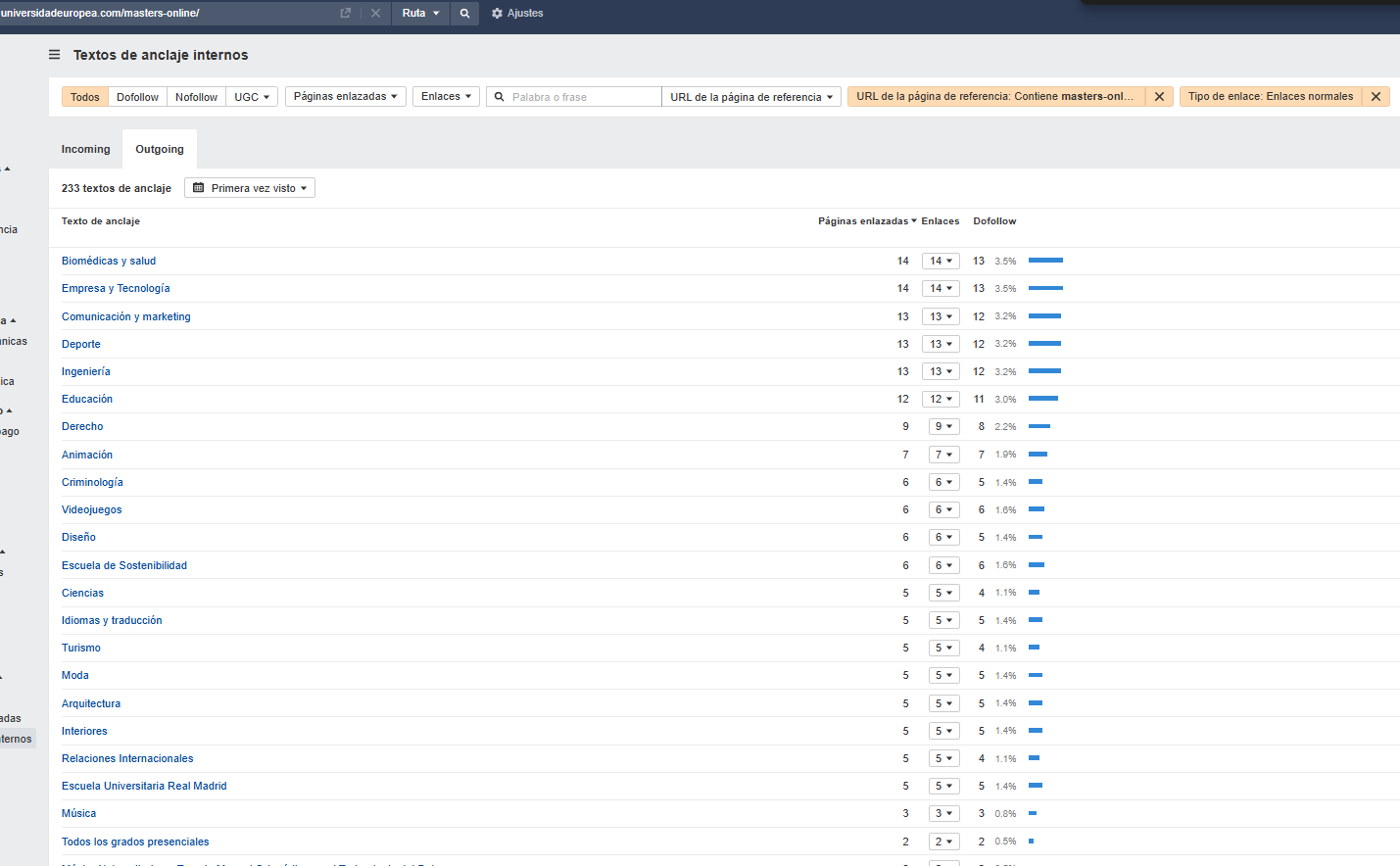
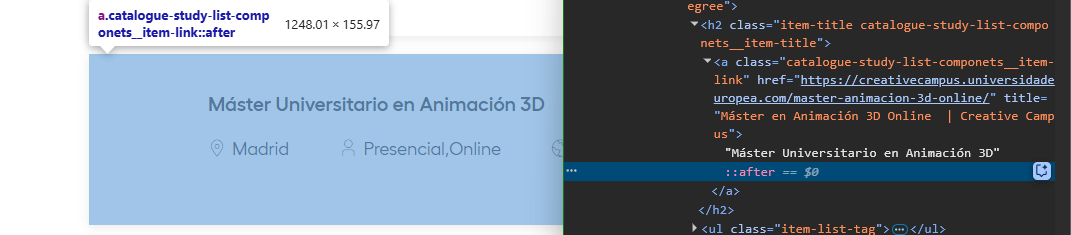
Once we’ve implemented this simple solution, the next step is to analyze the results again to confirm that the changes were applied correctly — and, more importantly, whether this improvement to our internal linking has led to better rankings.





I currently offer advanced SEO training in Spanish. Would you like me to create an English version? Let me know!
Tell me you're interested